Tock Flap
A downloadable tool
There was a time when train stations announced the next departure with a clatter of flipping panels, a cascade of little black cards turning over, each one a beat of mechanical music. Tock Flap brings that feeling to your Playdate.
What it is
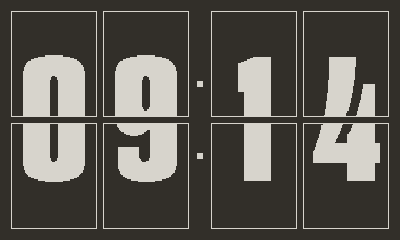
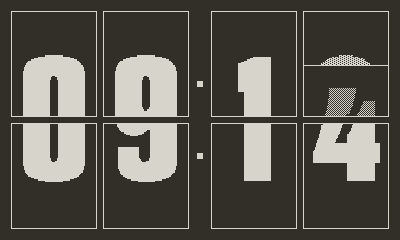
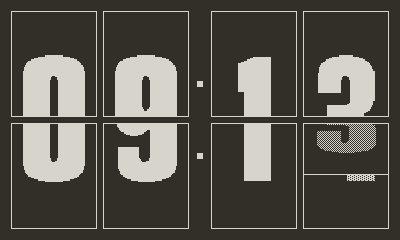
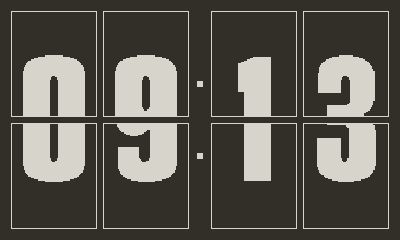
Tock Flap is a countdown timer you set the old-fashioned way. Roll the crank between your fingers and feel the minutes tick by, one notch at a time, with a soft click for every step. Press start, and watch them fall away on four big split-flap cards. Every flip lands with a satisfying click and a low thunk you can feel.
It's a small piece of analog joy on a tiny yellow handheld.
How it works
- Turn the crank to dial in 00 to 99 minutes, just like an old kitchen timer. Each minute is a tiny detent under your thumb.
- Press A to start. The cards begin their countdown.
- Press A again to pause. The display breathes gently while you're away.
- Press B to cancel and return to the dial.
You can also use the d-pad. Hold Up or Down to scroll faster and faster across the dial.
Features
- Hand-tuned animations. The cards fall with gravity, bounce on landing, and even quiver on the way down, the way a real split-flap board does.
- Crafted sound. Each flip is a layered click and thunk. The final alarm is a single confident pip.
- Dark or light mode. Switch between the classic black-on-white station look and a softer inverted theme.
- Remembers your last time. Pick up right where you left off.
- Stays awake while counting. Your Playdate won't auto-lock mid-timer.
- Made with care. Every spacing value sits on a 4-pixel grid. Every animation curve was tuned by hand. It's a small app that wants to feel exactly right.
Built for the kind of waiting worth listening to.
Made by Patrik Stenberg · Aftercompute
Tock Flap collects no data. It runs entirely on your Playdate and never connects to the internet.
Download
Install instructions
Tock Flap is a Playdate app. You'll need a Panic Playdate to run it.
Install
- Unzip the download.
- Go to play.date/account/sideload and sign in.
- Drag the TockFlap.pdx folder onto the sideload page (or zip the .pdx and upload it — both work).
- Your Playdate will sync the game over WiFi the next time it's online.
The game then appears in your Playdate's launcher under Games.
What's in the download
- TockFlap.pdx — the app itself
- LICENSE.txt — license terms
- PRIVACY.txt — privacy notice (spoiler: nothing is collected)
Requirements
- Playdate console (firmware 2.0 or later recommended)
- A play.date account (free; comes with your Playdate)
Notes
- This build is for Playdate hardware only. The Mac/Windows/Linux Simulator binaries are not bundled.
- Tock Flap runs entirely on your Playdate. No data is collected or transmitted.
Leave a comment
Log in with itch.io to leave a comment.